

linear pack needs. Set it as LINEAR_API_KEY.
Every Linear link below opens in a new tab, so this page stays where you left it.
1
Start a new OAuth application
Open linear.app/settings/api and, under
OAuth Applications, click New OAuth application.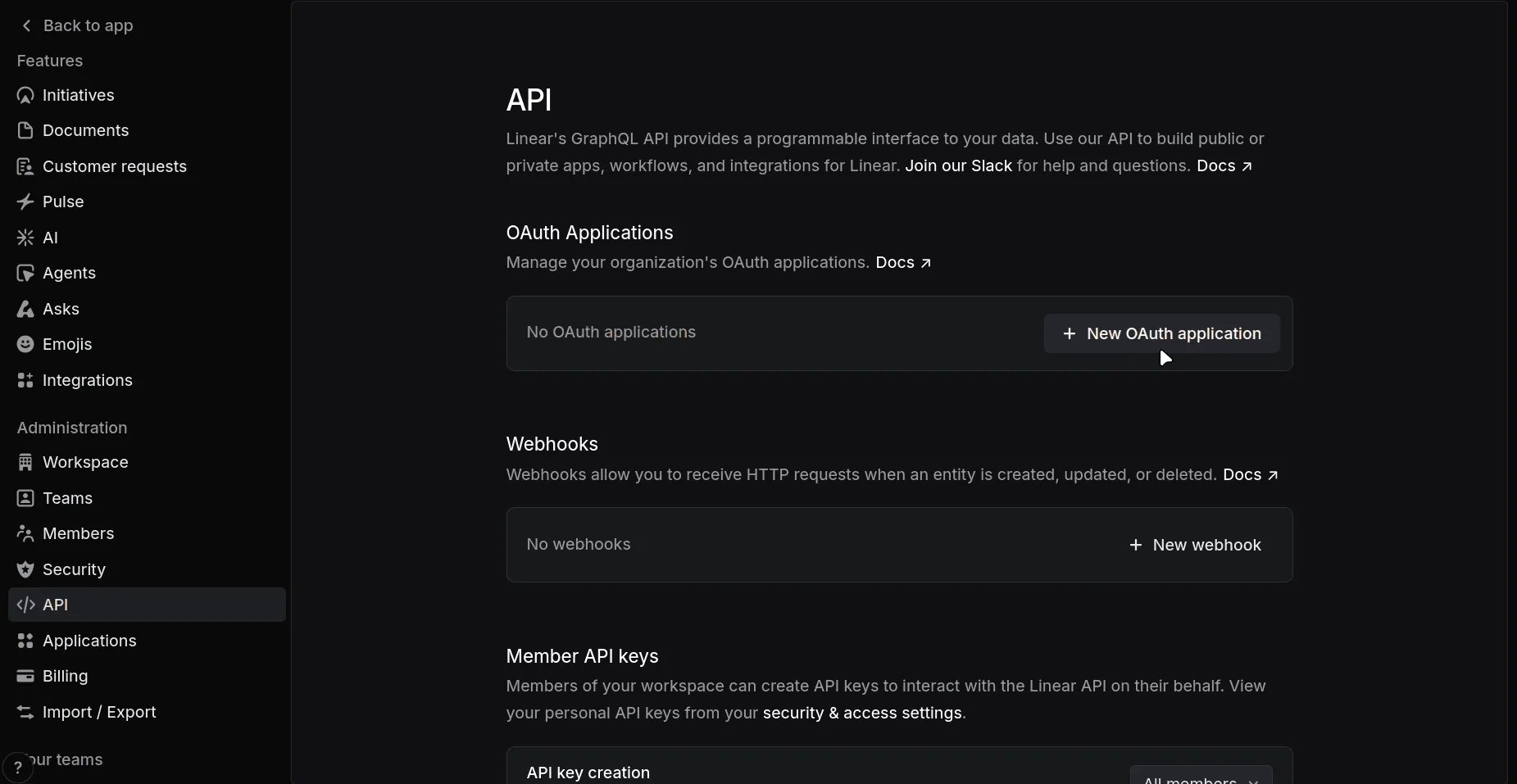
2
Fill in the form
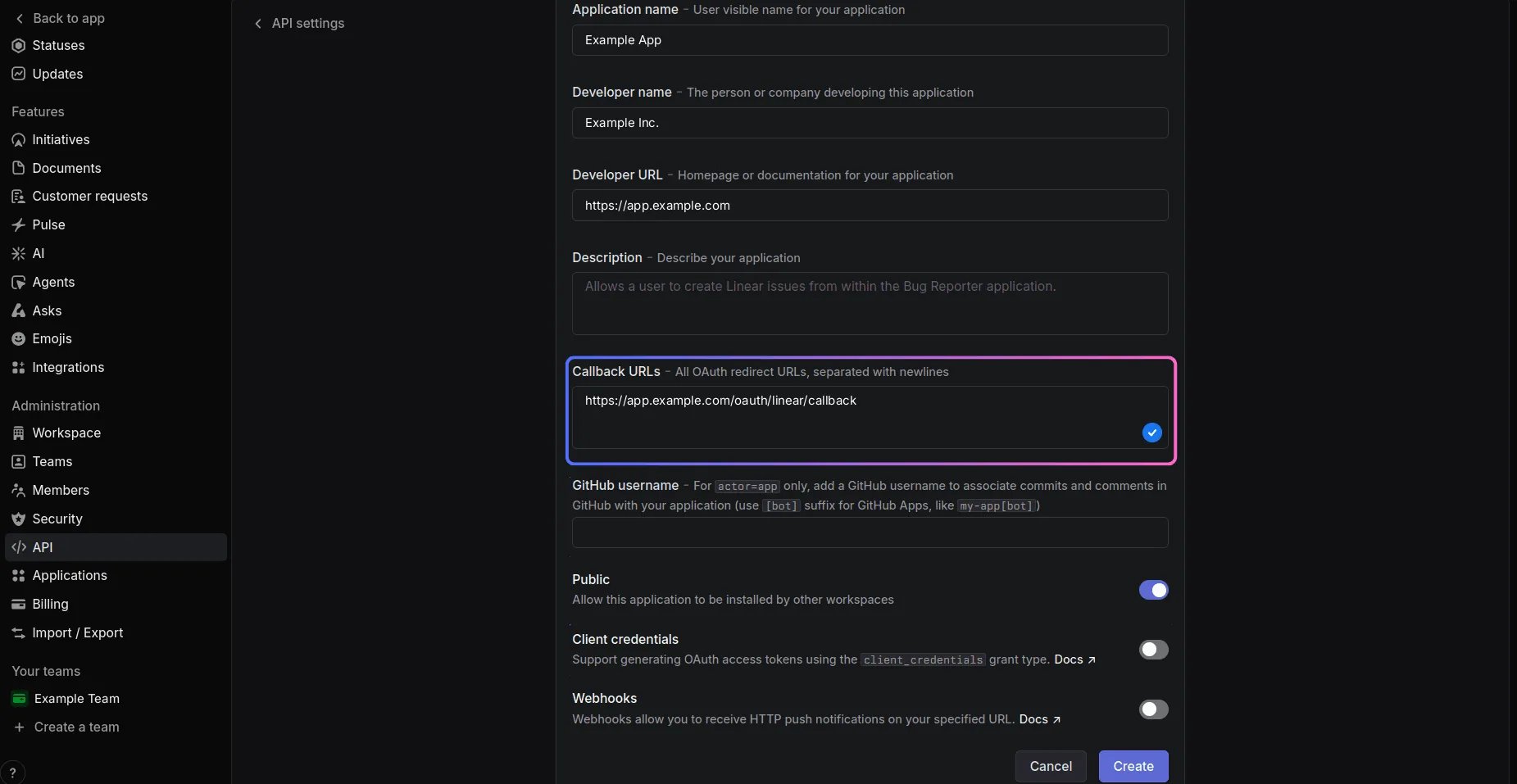
- Application name, Developer name, Developer URL: what your users see on the consent screen.
- Callback URLs: your app’s callback route, one per line. Linear redirects only to a URL listed here.
- GitHub username: leave it empty. It only matters for apps that act as themselves and want their commits attributed.
- Public: switch it on. With it off, only the workspace you’re in can authorize the app, which is fine for testing and wrong for your users.
- Client credentials: leave it off. That grant is for an app acting on its own workspace, and this flow acts on behalf of each user.
3
Copy the client ID and secret
Linear opens the application’s page. Under OAuth credentials, copy the
Client ID and the Client secret.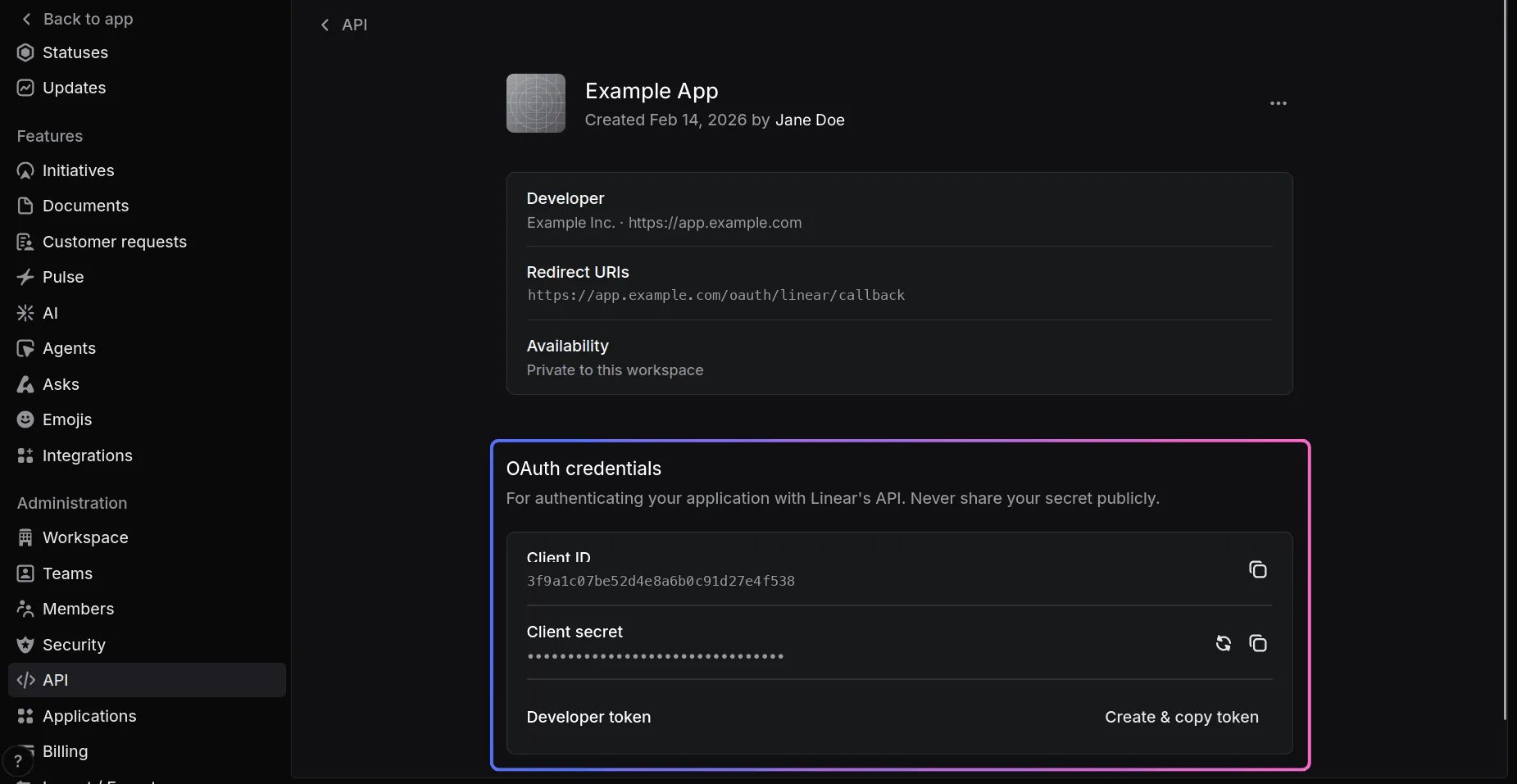
4
Connect a workspace
Your app’s “Connect Linear” button opens the link that
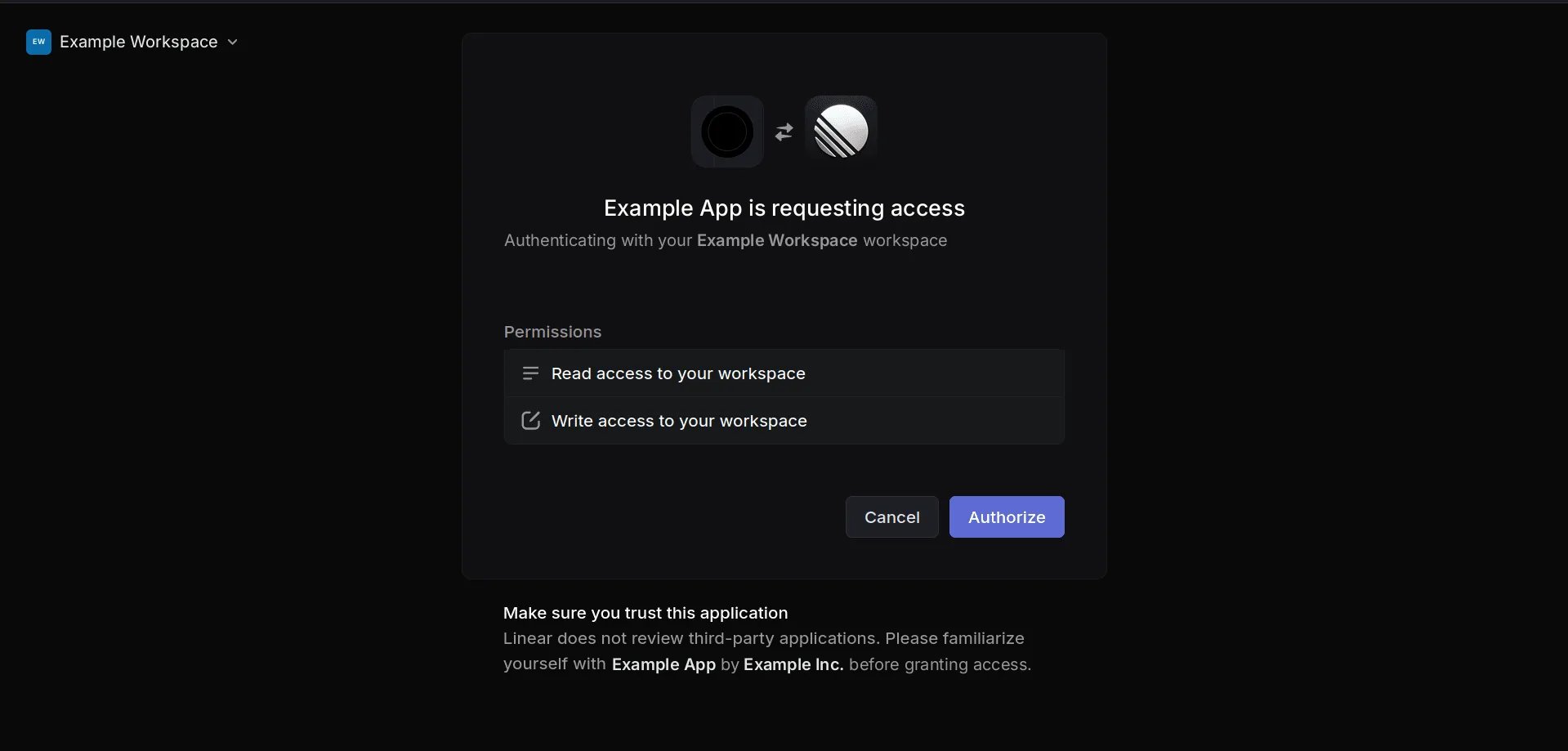
flow.authorize() builds. Linear
shows what the app is asking for, and the user clicks Authorize.read and write cover the pack’s tools. Don’t ask for admin: it adds a
line about managing settings and people to this screen, and no tool needs it.The server constant and the per-user client are in the
Linear provider page. Two details from there
matter here. Linear’s access tokens last 24 hours and its refresh tokens
rotate, so on_refresh has to store each new one. And Linear separates scopes
with commas, which the constant already declares.When it does not work
invalid_request: Invalid refresh token, on a refresh that worked yesterday
invalid_request: Invalid refresh token, on a refresh that worked yesterday
The refresh token was used and its replacement was never saved. Linear
rotates refresh tokens, and the old one stops working 30 minutes after it
was used. Linear says so with
invalid_request rather than
invalid_grant. Store the new one in on_refresh, then have the user
connect again.401 on a token that should be valid
401 on a token that should be valid
Linear wants an OAuth token sent as
Bearer and a personal API key sent
with no scheme at all. The pack tells them apart by the key’s lin_api_
prefix, so make sure what you hand it is the access token, not the client
secret.Related
- Linear OAuth — the server constant, and a pasted key beside OAuth in one configuration
- Getting the grant — the two routes,
stateand PKCE, inside your app - Linear — the pack, and why a personal key goes out with no scheme