

GitHub also offers GitHub Apps, with fine-grained permissions and 8-hour
tokens that refresh. The steps are similar, starting at
github.com/settings/apps/new, and the
token you get back depends on one checkbox there:
which token you have.
1
Fill in the registration form
Open github.com/settings/applications/new.
You can also get there from Settings → Developer settings → OAuth Apps →
New OAuth App.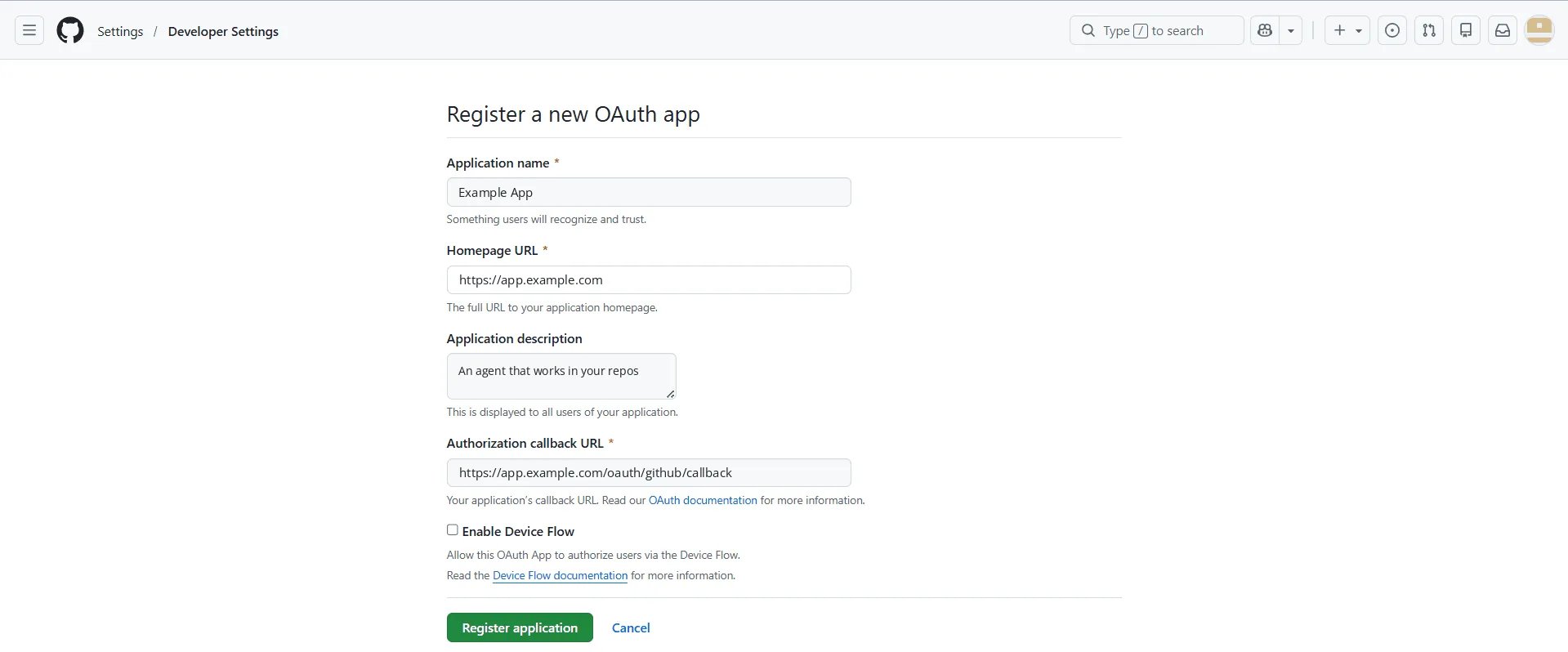
- Application name: what your users see on the consent screen. Use a name they’ll recognize.
- Homepage URL: your product’s public site.
- Application description: optional, but it’s shown to users while they decide, so it’s worth a sentence.
- Authorization callback URL: your app’s callback route. GitHub sends the
browser back here after consent, so it has to match the
redirect_uriyour flow sends.
2
Copy the client ID, then generate a secret
GitHub opens the app’s page. Copy the Client ID, then click
Generate a new client secret and copy the secret straight away. GitHub shows
it only once.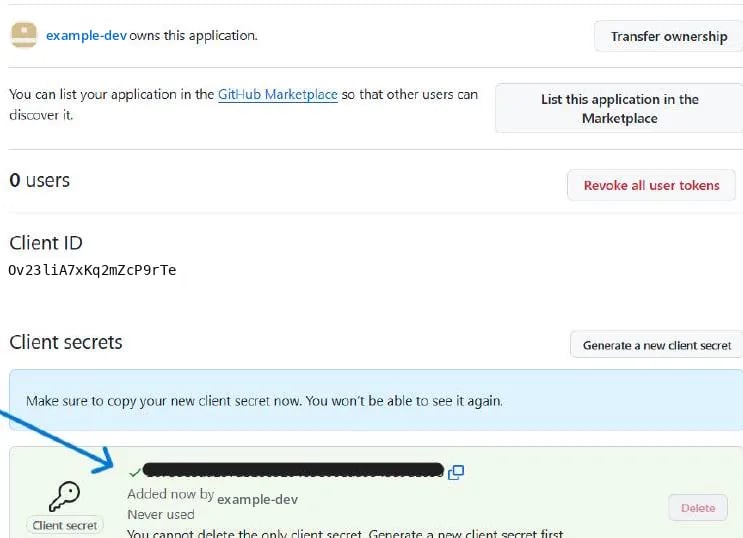
3
Connect an account
Your app’s “Connect GitHub” button opens the link that
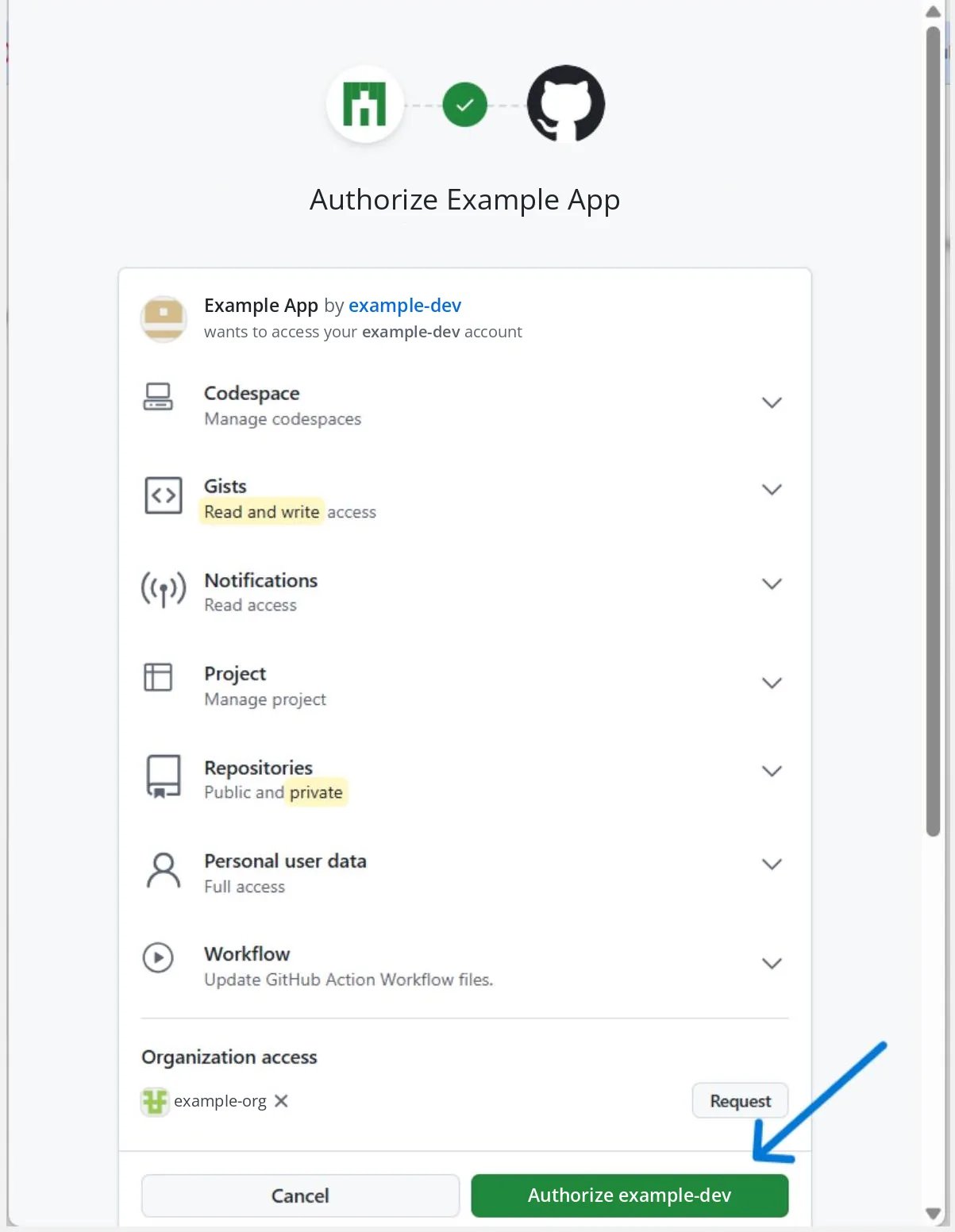
flow.authorize() builds. GitHub
shows the app, who owns it and every scope it asks for, and the user clicks
Authorize.repo and read:user, so that’s the scope list to ask
for. The screen above asks for more, and every extra scope is another line your
users have to accept.Organization access is listed separately. A user can authorize the app for
their own account straight away, but an organization that restricts OAuth Apps
keeps its private repositories out of reach until an owner approves the
Request.github_connect.py
grant.access_token against the user, and hand it to the pack with a
StaticTokenProvider from a
SubjectProvider.When it does not work
“The redirect_uri MUST match the registered callback URL for this application”
“The redirect_uri MUST match the registered callback URL for this application”
The flow sent a
redirect_uri that the app doesn’t list. An OAuth App takes
one callback URL, and the one you send must start with it. Change the
app’s Authorization callback URL, or send the one it has.403: “Resource protected by organization SAML enforcement”, or an organization's repositories missing
403: “Resource protected by organization SAML enforcement”, or an organization's repositories missing
The organization hasn’t approved the app, or the user hasn’t authorized it
for that organization’s SSO. An owner approves it under the organization’s
Settings → Third-party access.
grant.scopes is one string, not a list
grant.scopes is one string, not a list
GitHub separates scopes with commas, not the spaces the specification
calls for, so
repo,read:user arrives as a single element. Split it on
commas before you compare. GitHub’s provider page
has the detail.Related
- GitHub — the server constant, every token type, and refresh under expiry
- Getting the grant — the two routes,
stateand PKCE, inside your app - Every pack — what each pack’s users connect with, and what you store
- Set up GitHub — your own account, with a personal access token